
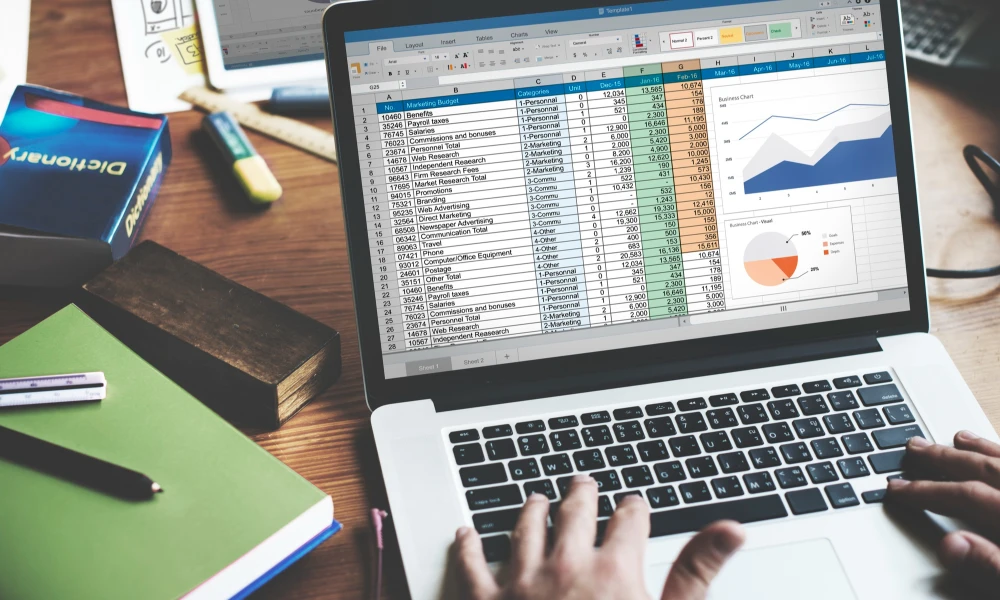
Many small business owners in India search for how to make ERP software in Excel. The idea makes sense — Excel is free, everyone knows how to use it, and it seems like the easiest way to manage inventory, billing, and accounts without buying expensive software.
In this article, we will honestly explain how to create a basic ERP-like system in Excel, what formulas and templates you can use — and then clearly tell you where Excel stops working and why a real ERP software is the smarter choice for your growing business.
Can Excel Be Used as ERP?
Technically, yes — but with very serious limitations. Excel can be used to build a mini ERP system for a very small business with simple operations. But it is not a real ERP system. It is a spreadsheet with formulas — not an integrated enterprise resource planning software.
Here is what Excel can do for basic ERP tasks:
- Maintain an inventory list with stock levels using simple formulas
- Create a basic invoice template with GST calculation
- Track purchases and sales in separate worksheets
- Create a basic ledger for accounting entries
- Build a simple dashboard using pivot tables and charts
But as soon as your business grows beyond 2 or 3 people, or you start handling more than 50 transactions a day, Excel-based ERP starts breaking down very quickly.
How to Create a Basic ERP System in Excel

Set Up Your Workbook Structure
Open a new Excel workbook and create separate worksheets for each business function. At minimum you need:
- Sheet 1 — Product Master (item code, name, unit, category, selling price, cost price)
- Sheet 2 — Inventory (opening stock, stock in, stock out, closing stock)
- Sheet 3 — Sales Register (date, customer, item, quantity, price, GST, total)
- Sheet 4 — Purchase Register (date, vendor, item, quantity, cost, GST, total)
- Sheet 5 — Customer Master (name, phone, address, GST number)
- Sheet 6 — Vendor Master (name, phone, address, GST number)
- Sheet 7 — Invoice Template (auto-fills from product and customer master)
Use VLOOKUP to Connect Your Sheets
The most important formula in an Excel-based ERP is VLOOKUP. This formula pulls data from one sheet into another automatically. For example, when you type a product code in your sales register, VLOOKUP can automatically fill in the product name, price, and GST rate from your product master sheet.
Formula example: =VLOOKUP(A2, ProductMaster!A:F, 2, FALSE) — this pulls the product name from column 2 of your product master based on the product code in cell A2.
Build Inventory Tracking with Formulas
To track inventory in Excel, use SUMIF formulas to calculate total stock in and stock out for each product. Your closing stock formula would be: Opening Stock + Total Purchases – Total Sales. Set up conditional formatting to highlight products that are running low on stock.
Create a Basic Invoice Template
Design an invoice template in Excel with your company name, GST number, and address at the top. Use VLOOKUP to auto-fill product details when you enter the product code. Add a formula to calculate GST amount and total payable. You can print this template as a PDF for each sale.
Build a Simple Dashboard
Use pivot tables to summarize your sales data by month, by product, or by customer. Create simple bar or line charts to show your sales trend. This gives you a basic business intelligence view of your operations.
This is how you can build a basic mini ERP application in Excel. It works for a very small business with 1 or 2 users. But here is the honest truth about what happens next.
Why Excel-Based ERP Stops Working as Your Business Grows
The moment your business grows beyond a certain point, Excel-based ERP creates more problems than it solves. Here is what goes wrong:
No Real-Time Data
Excel is not a live system. Every time someone makes a sale or purchase, they have to manually update the Excel file. If two people are updating at the same time, data gets overwritten and corrupted. You can never trust that the numbers are current.
One Person, One File
Excel does not support multiple users working on the same file simultaneously. Your sales team, purchase team, and accounts team all need the same data — but they cannot all update the same Excel file at the same time without conflict.
No Production Planning
Excel cannot handle production planning, work order management, or job work tracking. If you are a manufacturer, Excel simply cannot replace a real manufacturing ERP software.
No GST Automation
Filing GST returns from Excel data is a manual nightmare. You have to export, format, and upload data every month. A real ERP system generates GST reports and invoices automatically with correct HSN codes — saving hours every month.
Data Loss Risk
One corrupted Excel file, one accidental delete, one laptop crash — and years of business data can be gone in seconds. Cloud-based ERP software keeps your data safe with automatic backups at all times.
Cannot Scale
As your product catalogue, customers, and transactions grow, Excel files become slow, heavy, and unreliable. ERP software is built to handle thousands of products, hundreds of users, and millions of transactions without slowing down.
Excel vs Real ERP Software
| Feature | Excel / Mini ERP in Excel | Apna ERP Software |
| Setup Time | Days to weeks of manual work | Ready in hours with proper setup |
| Real-Time Data | No — always outdated | Yes — live updates instantly |
| Multi-User Access | One person at a time | Full team access simultaneously |
| Inventory Tracking | Manual formulas — error-prone | Auto real-time inventory control |
| GST Billing | Manual format — no automation | Built-in GST invoicing, HSN codes |
| Production Planning | Not possible | Full production planning module |
| CRM | Not possible | Complete customer management |
| Data Safety | Corrupt file = lost data | Cloud backup — always safe |
| Scalability | Breaks as business grows | Scales with your business easily |
Can I Create My Own ERP System?
Yes — you can build a custom ERP system. But building ERP software from scratch requires months of development time, a team of software developers, significant investment, and ongoing maintenance.
For most small businesses in India, the smarter choice is to buy a customized ERP solution from a trusted ERP software company — not build one from scratch. A good ERP company will configure the system exactly for your business requirements in a few weeks — at a fraction of the cost of custom development.
Want to know how to implement ERP the right way? Read:
→ Step by Step Guide to Implement ERP in Small Business India
Is Tally an ERP Software?
Tally is primarily an accounting software — not a full ERP. It handles billing, GST, and basic accounting very well. But it does not cover production planning, CRM, supply chain management, or job work tracking. For businesses that only need accounting and billing, Tally works. But for manufacturers and growing businesses that need a complete integrated system, a proper ERP is needed.
Read the full comparison:
→ Difference Between ERP and Accounting Software for Business
When Should You Move from Excel to Real ERP Software?
You should stop using Excel and move to proper ERP software when:
- Your business has more than 5 employees updating data regularly
- You are managing more than 100 products or 20+ daily transactions
- You need real-time inventory tracking across locations
- Your Excel file is getting slow, heavy, or frequently corrupted
- You are spending more than 1 hour per day on manual data entry
- You are a manufacturer who needs production planning and job work tracking
For inventory management specifically, read:
→ Best Inventory Management Software for Small Business India
Apna ERP — The Affordable Alternative to Excel for Small Businesses in India
Apna ERP is a complete cloud-based ERP software designed for small and medium businesses in India. It is affordable, easy to use, and fully customized for your business — giving you everything your Excel mini ERP cannot.
- Real-time inventory management — no manual updates needed
- GST billing with automatic HSN codes and GST reports
- Production planning for manufacturers
- CRM to manage customers and follow-ups
- Supply chain and vendor management
- Multi-user access — entire team on one system simultaneously
- Cloud backup — your data is always safe
Looking for the best ERP for your business in Rajkot or Gujarat? Read:
→ Best ERP Software for Small Business in Rajkot
Frequently Asked Questions (FAQ)
Can Excel be used as ERP software?
Excel can be used to build a very basic mini ERP system using VLOOKUP formulas, pivot tables, and worksheet templates. But it is not a real ERP system. It does not support real-time data, multi-user access, production planning, CRM, or proper GST automation. For any growing business, a real cloud-based ERP software is far more reliable and efficient.
How to make ERP software in Excel step by step?
Set up separate worksheets for product master, inventory, sales register, purchase register, customer master, vendor master, and invoice template. Connect them using VLOOKUP formulas. Use SUMIF for inventory tracking. Build a dashboard using pivot tables. This gives a basic mini ERP for very small businesses.
Can I create my own ERP system?
Yes, but building ERP from scratch requires developers, time, and significant investment. For most small businesses in India, buying a customized ready-made ERP solution from a trusted ERP company is much faster, cheaper, and more reliable than building from scratch.
Is Tally an ERP software?
Tally is primarily an accounting software, not a full ERP. It handles billing, ledger, and GST well but does not include manufacturing, production planning, CRM, or supply chain modules. Businesses needing a complete integrated system need a proper ERP beyond Tally.
Stop Struggling with Excel : Switch to Apna ERP
Excel is a great tool for simple tasks. But running your entire business on Excel is like building a house on sand. It works at the start but becomes unstable as you grow.
Apna ERP gives your business a solid foundation — real-time data, automated billing, inventory control, production planning, and CRM — all in one affordable cloud-based system built for Indian businesses. Book a free demo today and see why hundreds of businesses have switched from Excel to Apna ERP.
Call: +91 99988 54371 | Email: [email protected]
 23 Sep, 2026